Housing System
Home Ownership Fundamentals
Home ownership is one of the most fulfilling and vital aspects of Ultima Online: Renaissance. A house provides a sanctuary for resting, training skills, conducting trade, and securely safeguarding your hard-earned treasures across Britannia.
Core Ownership Rules
- One House Per Character: Each character on your account may own exactly 1 house (allowing up to 3 houses per active account).
- Account Co-Ownership: Any other character on the same account that does not own their own house will automatically inherit full Co-Owner privileges to any house owned by a sibling character on that account.
- Newbied House Deeds: House deeds purchased from NPC Real Estate Brokers or Carpenters are newbied. They will not drop on death unless your character is flagged as a Murderer (red).
- 100% Full Resale Value: House deeds can always be redeemed for their 100% full face value. Drag and drop the deed onto any NPC Real Estate Broker or Carpentry Shop merchant to receive a full refund in gold or bank checks.
- Keys Are NOT Blessed: House keys are standard physical items and will drop in your corpse upon death! Never carry your primary house keys on your adventurer. Instead, place them immediately onto a Keyring and secure them using the threshold doorway technique.
Public vs. Private Status
Through the house sign management menu, the house owner may toggle the estate between Private and Public:
- Private Houses: The default setting. Only the Owner, Co-Owners, and Friended players may enter beyond the front door. Intruders cannot enter unless invited or if the door is left unlocked.
- Public Houses: Mandatory if you wish to place Player Vendors or establish an open guild workshop. Anyone may walk through the doors. Extra precautions (such as interior table walls and trash barrels) must be deployed to keep inner chambers secure.
---
Complete House Catalog
Below is the definitive catalog of all 22 player-constructible houses on Renaissance, verified from the shard compendium. Lockdowns represent the maximum number of individual items that can be locked to the floor, while Secures represent the number of secure containers (chests, wardrobes, metal boxes) allowed. Each secure container holds up to 125 items / unlimited weight and draws from the house's total lockdown pool.
Small Classic Houses & Workshops
Ideal first homes with compact footprints (7x7 to 8x7), modest investment, and quick entry into the housing market.
| Appearance | House Name | Deed Cost | Footprint | Lockdowns | Secures |
|---|---|---|---|---|---|
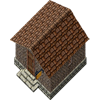 |
Small Brick House | 43,800 gp | 7x7 | 30 | 1 |
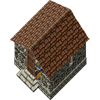 |
Small Field Stone House | 43,800 gp | 7x7 | 30 | 1 |
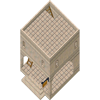 |
Small Marble Workshop | 60,600 gp | 7x7 | 45 | 1 |
 |
Small Stone and Plaster House | 43,800 gp | 7x7 | 30 | 1 |
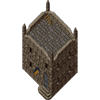 |
Small Stone Tower | 88,500 gp | 8x7 | 55 | 2 |
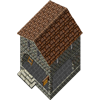 |
Small Stone Workshop | 60,600 gp | 7x7 | 45 | 1 |
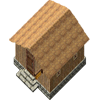 |
Small Thatch House | 43,800 gp | 7x7 | 30 | 1 |
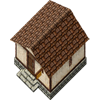 |
Small Wood and Plaster House | 43,800 gp | 7x7 | 30 | 1 |
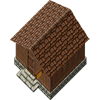 |
Small Wooden House | 43,800 gp | 7x7 | 30 | 1 |
Medium Houses, Villas & Cabins
Spacious intermediate estates offering multiple levels, open balconies, and upgraded storage allocations.
| Appearance | House Name | Deed Cost | Footprint | Lockdowns | Secures |
|---|---|---|---|---|---|
 |
2 Story Villa | 136,500 gp | 11x11 | 85 | 3 |
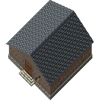 |
Large Brick House | 144,500 gp | 14x14 | 95 | 4 |
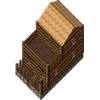 |
Log Cabin | 109,500 gp | 8x13 | 75 | 3 |
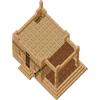 |
Sandstone Patio | 98,900 gp | 12x8 | 60 | 2 |
Large Houses, Patios & Towers
Prominent landmark properties boasting multiple expansive stories, private roof access, and generous secure containers.
| Appearance | House Name | Deed Cost | Footprint | Lockdowns | Secures |
|---|---|---|---|---|---|
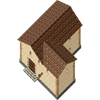 |
2 Story Stone and Plaster | 192,400 gp | 14x14 | 130 | 5 |
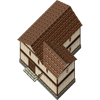 |
2 Story Wood and Plaster | 192,400 gp | 14x14 | 130 | 5 |
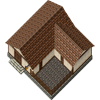 |
Large House with a Patio | 152,800 gp | 15x14 | 100 | 4 |
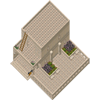 |
Marble House with a Patio | 192,000 gp | 15x14 | 130 | 5 |
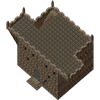 |
Tower | 433,200 gp | 24x14 | 250 | 12 |
Massive Fortresses, Keeps & Castles
Grand guild citadels with colossal multi-tile layouts, enclosed private courtyards with zero decay, and immense defensive structures.
| Appearance | House Name | Deed Cost | Footprint | Lockdowns | Secures |
|---|---|---|---|---|---|
 |
Castle | 1,022,800 gp | 31x31 | 577 | 26 |
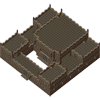 |
Fortress | 1,972,800 gp | 31x31 | 975 | 29 |
 |
Stone Keep, Large | 798,000 gp | 24x24 | 425 | 21 |
 |
Stone Keep, Small | 655,200 gp | 24x24 | 375 | 19 |
---
House Security & Fortification
Renaissance faithfully preserves the authentic, tactical mechanics of classic house ownership. Because there are no modern menu-driven per-tile access bans, protecting your valuables requires clever architectural layouts and perimeter security.
Critical Distinction: Lockdowns vs. Secures
- Locked Down Containers: Any container locked down with
"I wish to lock this down"has no access security. Any player who can physically stand next to or reach the container can open it and take its contents! - Secure Containers: Set via
"I wish to secure this". Secure containers bring up an access level menu (Owner, Co-Owner, Friends, Anyone) and can only be opened by authorized players.
Keyrings & Doorway Entrance Security
Never walk around Britannia with your house keys in your backpack! If a thief snoops you or a monster slays you, your keys can be looted and your home plundered.
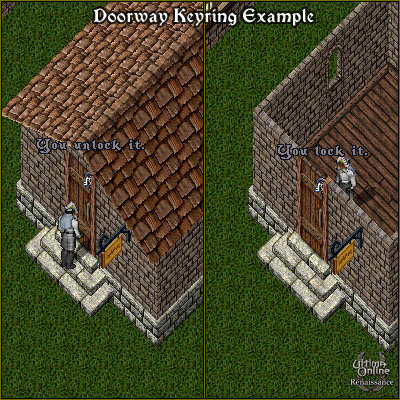
Elevated Doorway Keyring Technique
Most standard house front doors allow you to lock a keyring down directly in the doorway threshold:
- Purchase a Keyring from any tinker or blacksmith and drop your house keys onto it.
- Stand in the open doorway, drop the keyring on the threshold tile, and say
"I wish to lock this down". - Use an Interior Decorator tool (or elevation item) to raise the keyring.
- Once elevated, players inside or outside can simply double-click the keyring to instantly lock or unlock the front door without ever moving the keys!
Table Walls & Safe Macro Storage
The table wall is the quintessential UO defense against thieves, stealthers, and unauthorized looters.

Red Tiles: Vulnerable to reach by intruders standing at the door.
Yellow Tiles: Reachable depending on item elevation.
Green Tiles: 100% safe storage zones out of reach from perimeter walls.
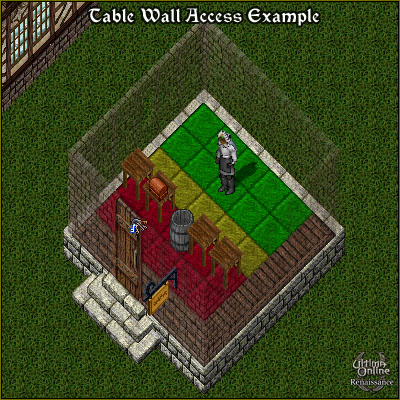
House owners say "I wish to place a trash barrel" in a 1-tile gap. To enter: chop the barrel with an axe, step through, and instantly speak the phrase again to reseal the wall. Stealthers cannot pass without being revealed!
Advanced Defense Tactics
- Footstool One-Way Exit Ramps: Lock down two wooden footstools in sequence. Using an interior decorator, raise the first stool 1 time and the second stool 3 times. This creates a one-way staircase ramp allowing you to walk out over a barrier, while preventing anyone outside from stepping back in!
- Roof & Workshop Caution: Never macro unattended on open rooftops (such as Marble Workshops, Stone Towers, or Patio houses). Hostile players can summon Blade Spirits or Energy Vortexes onto the roof from ground level or cast Area-of-Effect spells. Block stairwells with a table or door to prevent summons from traveling between floors.
- Courtyard Security in Massive Houses: In Keeps, Castles, and Fortresses, items dropped in the central courtyard do not decay. Teleporting into courtyards from exterior terrain is strictly blocked by anti-exploit path checks. However, characters who mark a rune inside the courtyard can recall in unless protected or blessed with Platinum courtyard wards.
---
Classic Player Vendors
Player-run vendors form the lifeblood of the Britannia economy. By hiring a vendor, craftsmen, dungeon-crawlers, and treasure hunters can automate sales 24/7 without needing to stand at the West Britain Bank.
Hiring & Placing a Vendor
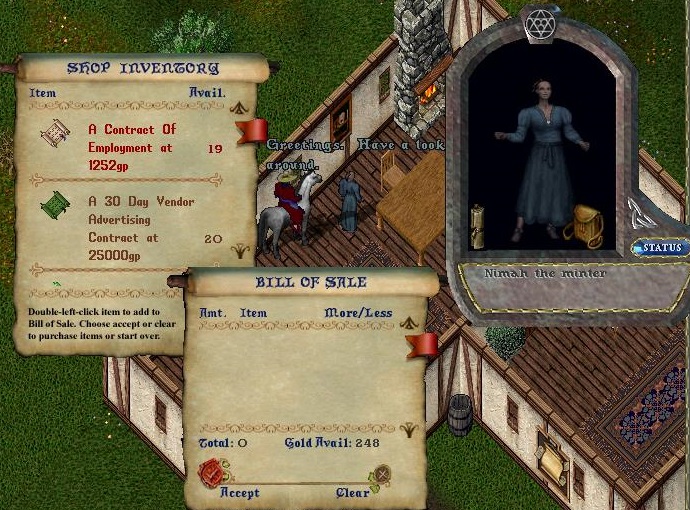
- Contract of Employment: Purchase a Contract of Employment (~1,200 gold) from any NPC Banker or Minter.
- Qualifying Vendor House: You must own or be Friended to the house, and the house MUST be set to Public.
- Placement: Stand on the exact tile where you want the vendor to stand, face the desired direction, and double-click the Contract of Employment.
- Initial Balance: Newly placed vendors start with 1,000 gold funded into their upkeep account, providing approximately 4 Earth Days of base operational wages.
Upkeep Fees & Formulas
Vendors charge upkeep wages calculated against game time and inventory value:
- Time Scale: 1 UO Day = 2 Earth Hours (1 Earth Day = 12 UO Days).
- Base Upkeep Fee: 20 gold per UO day (240 gold per Earth day).
- Inventory Value Fee: An additional +1 gold per UO day for every 5,000 gold worth of goods listed for sale.
Upkeep Calculation Example:
If your vendor holds 100,000 gold worth of inventory:
Daily Rate = 20 gp (Base) + (100,000 / 5,000 = 20 gp) = 40 gp per UO Day.
Real-Life Daily Cost = 40 gp × 12 UO Days = 480 gp per Earth Day.
WARNING: The Vendor Collapse Rule!
If your vendor's wage account balance reaches 0 gold and holds no sales funds, the vendor will immediately collapse! The vendor will vanish and drop their entire inventory backpack directly onto the floor for anyone to loot. Always maintain at least 7 to 14 Earth Days of funded wages!
Stocking, Pricing & Containers
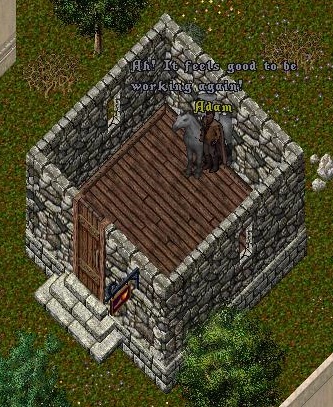
Drop an item into the vendor's backpack. Enter the price followed by an optional description (e.g. 250 Amazing Deal!). If no price is entered, it defaults to 999 gold.
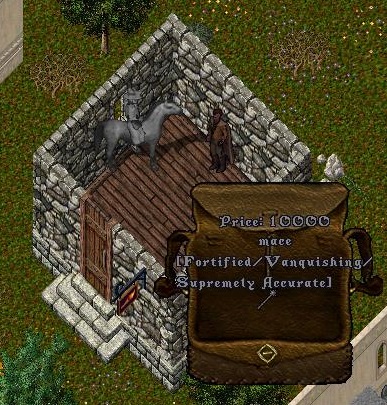
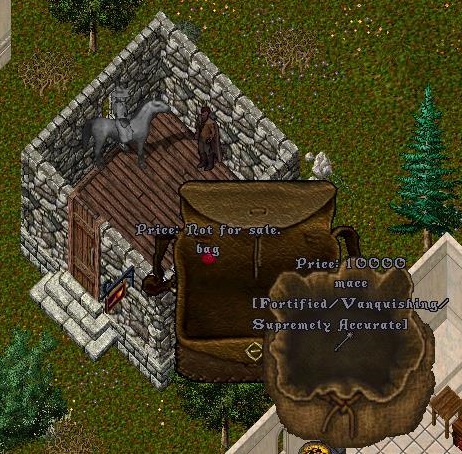
Drop a bag or crate into the vendor and press Escape (or enter a description with no price). The bag becomes a display container marked "Not For Sale", allowing you to organize items inside!
- 2-Minute Purchase Protection: When you place an item on your vendor, a 2-minute cooldown timer prevents anyone from executing
vendor buyon it, ensuring you have ample time to configure prices without risk from hidden snipers. - Bulk Order Deed (BOD) Books: Place your BODs into a BOD book, set the individual BOD prices inside the book, and set the book itself to "Not For Sale". BOD book inventories DO NOT count toward the vendor's total inventory value upkeep fees!
Organize crafting orders by setting individual prices for each deed inside the book. Shoppers can inspect and buy directly from the book interface.
Even if you stock 500,000 gp worth of rare deeds inside a "Not For Sale" book, it adds 0 gp to your daily vendor salary upkeep fees!
Collecting Earnings & Dismissal
Collecting Gold & Bank Deposits
- Say
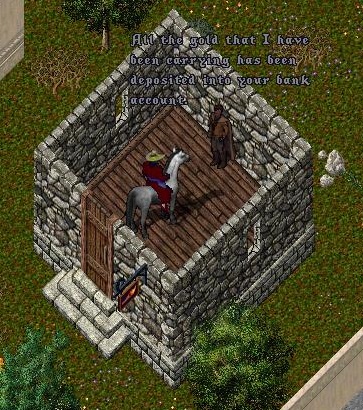
"<VendorName> Collect". Enter the desired amount. - The vendor sends all collected gold directly to your bank box.
- Amounts between 5,000 gp and 1,000,000 gp are deposited as a Bank Check. Smaller amounts are deposited as cash gold.
- Dismissal: Say
"<VendorName> Dismiss". A replacement deed retaining all prepaid salary funding will be returned to your backpack.
---
Enhanced Vendor System
The Enhanced Vendor System introduces next-generation merchant conveniences designed to streamline sales tracking, expand customization, and link player shops into a unified shard-wide marketplace.
Key Enhancements
- Separate Accounts: Segregates Sales Earnings (profit from buyer purchases) from your Funding Account (gold dedicated to wage upkeep). You never accidentally withdraw your vendor's salary when collecting profits!
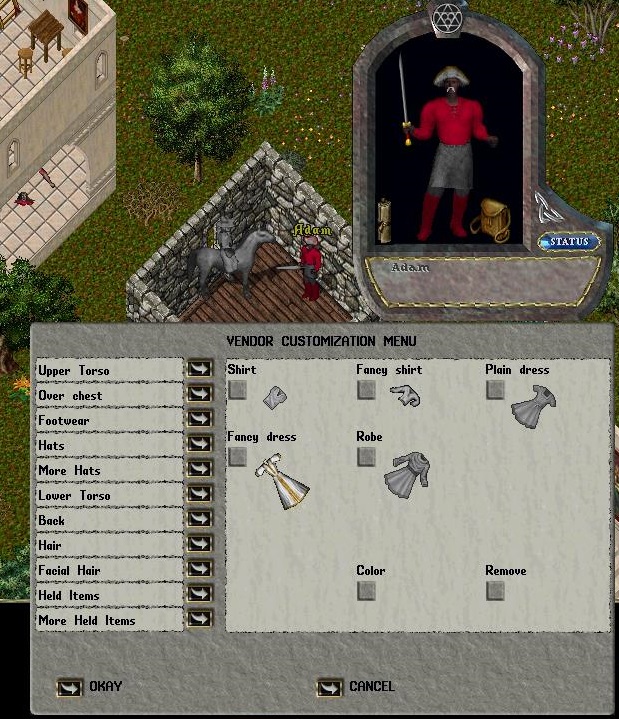
- Paperdoll Wardrobe Customization: Directly dress and equip your vendor through an interactive paperdoll using clothing, armor, hats, and jewelry without stocking them as inventory items.
- Deed Wage Retention: Dismissing an enhanced vendor stores remaining salary funding directly on the deed for seamless shop relocations.
- Shard-Wide Vendor Board Integration: All items stocked on enhanced vendors are indexed and searchable across Britannia through public Vendor Boards located in major banks and trading hubs.
Shard-Wide Vendor Boards
Vendor Boards allow shoppers to search for items across all public player houses on the shard without blindly wandering from house to house:
- Search Criteria: Item Name, Description, Item Type, Hue/Color, Vendor Name, Shop Name, and Sextant Coordinates.
- Sorting Options: Price (Low to High / High to Low), Item Name, or Vendor Name.
- Direct Navigation: Inspecting an item on the Vendor Board reveals the exact rune/sextant coordinates and house name so you can gate or recall directly to the shop!
---
Housing & Vendor Quick Reference
| Action / Feature | Command / Mechanic |
|---|---|
| Lock Down an Item | Stand near the item and say "I wish to lock this down".
|
| Release a Lockdown | Stand near the locked down item and say "I wish to release this".
|
| Secure a Container | Stand near the container and say "I wish to secure this". Set access level in the popup menu.
|
| Place Trash Barrel | House Owner or Co-Owner says "I wish to place a trash barrel".
|
| Collect Vendor Gold | Stand near your vendor and say "<VendorName> Collect".
|
| Dismiss a Vendor | Stand near your vendor and say "<VendorName> Dismiss".
|
| Redeem House Deed | Drag and drop the deed onto any NPC Real Estate Broker or Carpenter for 100% full gold refund. |